Hijacked by S04.cltrda.com Spam Site? Remove S04cltrda Virus Manually

Do you often find that your antivirus almost updates its virus library every day, but there are still many fierce virus can threaten your PCs no matter how rigorous your antivirus is? A virus called S04.cltrda.com hijack virus has been making its way to spread madly on the internet in the world. If you’re one of those who have been caught by such virus, it’s time to read this article to deal with it without mercy.

Full sight of S04.cltrda.com Virus

S04.cltrda.com is a horrible browser redirect rootkit that will hijack your web browsers. Its name will give you first impression that it’s a webpage or a URL. Correct! It’s indeed a webpage, but with many viruses includes Trojan horses, malwares or cankered links. Very similar to EasyA-Z.com, Isearch.babylon.com and Accurately-Locate.com, it’s nothing different from those famous sites with a virtuous interface. When you get infected by this browser hijacker, it may not bring you to the forefront because you may think that it just changed your homepages. You are all wet. The offensive S04.cltrda.com Internet Browser Hijacker will drag you into the abyss of pain.

When people start their IE or other browsers, an advertisement always pops up and tells them that they have won something or asks them to do a survey. The advertisement can be different every time, but almost every time it forces them to go to http:/s04.cltrda.com. Even people try to reset Internet Options, it’s useless. They can’t go any other sites except this URL. No matter in what operating system and what kind of antivirus, such as Trend Micro, the hijacker can survive without being scanned and killed. Every time you try to scan, the antivirus just shows that there are no viruses or worms. People might have some infection like this before but deleted them easily. But this one is very disgusting. Some people even took it to some maintenance station. The workers might run many things to get the solution. Everything looked fine but it the annoying advertisement still popped up when they did something like working, paying games, making films, etc.

When you visit some informal websites, you may be attacked by such browser hijacker stealthily. S04.cltrda.com Internet Browser Hijack Virus takes the same way as many Trojans do to invade your PC. Changing StartUp, re-configurating Browser Options and attacking system or antivirus vulnerabilities to escape from removing it are all the basic approaches it adopts. After the virus accessed your CPU, you can find that your homepage has been set to S04.cltrda.com. Of course, the browser hijacker mainly promotes S04.cltrda.com to you. S04.cltrda.com is designed to tempt you click, but you can never get the things you want. As a function of Trojans and rootkits, browser hijacks can take several forms and be accompanied by theft of personal information, reduction of your computer’s security or installation of extra types of PC threats such as keyloggers or scamware. Be conscious of this flaring stuff. The longer time it stays in your computer, the more danger it will pour to you.

Read the rest of this post »

Published by Tony Shepherd on May 14, 2012 3:23 am and last modified on November 9, 2012 1:06 pm.


How to Remove Windows ProSecure Scanner Virus Manually Step by Step

Is your computer currently suffering from lots of annoying pop-up security alerts stating there are numerous troubles with your computer? Have you struggled and tried to get them off by every possible way but even your antivirus software doesn’t work? Don’t be panic and believe what is going on. You will be taught to manually remove this virus out of your computer.

Windows ProSecure Scanner is a malicious antivirus program that computer users may come across. This fake virus protector is a member of the Rogue.FakeVimes family as Windows ProSecurity Scanner. One obvious and notorious characteristic of fake programs in this family is to take money away from you through boasting that your computer has been badly infected. And this will work quite well with the help of the trustworthy appearance of it. Cyber criminals take advantages of the nerves of computer users and trick them into purchasing the fake version.

Windows ProSecure Scanner rogue will pretend to start a scan through your computer when being infected. Scanning results are always severe to make you become nervous. And then lots of security alerts will pop up making you impossible to ignore them and keep annoyed by them. Through this forcible showing up warnings, this scam program is trying to deceive you. But none of the alerts are real and all the detected viruses, bugs, worms and other errors do not truly exist but just some fake statements made up by the virus. What would happen if you do believe what it tells you? Money will be requested from you to buy its full version so that it can complete the removal job. It is without any question that you don’t make the payment or if you do, try to contact with the bank and cancel it immediately. And please take a quick action to uninstall Windows ProSecure Scanner ransomware from your computer. Read the rest of this post »

Published by Tony Shepherd on May 12, 2012 5:56 pm

Hijacked by Findgala.com Search Engine? Remove Findgala Redirect Virus Step by Step

Have you ever had the experiences when surfing the Internet that the results always turn out to be totally different from what you initially want to find out? And the home page cannot remain the same as you have set? Your computer has definitely been infected with the so-called Findgala.com browser hijacker.

To Realize Findgala.com Internet Browser Hijack Virus with Overall Perspective

Findgala.com is a horrible browser redirect rootkit that will hijack your web browsers. Its name will give you first impression that it’s a webpage or a URL. Correct! It’s indeed a webpage, but with many viruses includes Trojan horses, malwares or cankered links. Very similar to EasyA-Z.com, Isearch.babylon.com and Accurately-Locate.com, it’s nothing different from those famous search sites with a virtuous interface. When you get infected by this browser hijacker, it may not bring you to the forefront because you may think that it just changed your homepages and even you will regard it as one assistant for you to do some search more easily. If you really think so, you are all wet. The offensive Findgala.com Internet Browser Hijacker will drag you into the abyss of pain.

When you visit some informal websites, you may be attacked by such browser hijacker stealthily. Findgala.com Internet Browser Hijack Virus takes the same way as many Trojans do to invade your PC. Changing StartUp, re-configurating Browser Options and attacking system or antivirus vulnerabilities to escape from removing it are all the basic approaches it adopts. You may never be aware of it if you don’t open your internet browser again. Once you open it after the virus accessed your CPU, you can find that your homepage has been set to Findgala.com. Google Redirect Virus. It looks like a very professional search engine. Indeed, it provides much information about all kinds of sites for your consideration; however, all the search result is well-designed. It always displays the malicious pages and links to you. The real good normal sites it never list for your choice.

Of course, the browser hijacker mainly promotes Findgala.com to you. Findgala.com is designed as a search engine to tempt you use, but you can never get the things you want. As a function of Trojans and rootkits, browser hijacks can take several forms and be accompanied by theft of personal information, reduction of your computer’s security or installation of extra types of PC threats such as keyloggers or scamware. Be conscious of this flaring stuff. The longer time it stays in your computer, the more danger it will pour to you. Read the rest of this post »

Published by Tony Shepherd on May 12, 2012 3:24 pm and last modified on November 9, 2012 1:04 pm.

Permanently Remove Trojan.Zeroaccess!inf2 (Removal Step by Step)

Trojan horse viruses have obvious features: tiny and covert, tremendous and powerful damage, difficult to clean up, etc. Cyber cribbers resort to extreme measures to programme and improve various Trojan to create more and more invasion to personal computers. Have contracted the “Trojan.Zeroaccess!inf2” virus, you googled what you can do but nothing seems to work?

What is Trojan.Zeroaccess!inf2? How to Remove?

Trojan.Zeroaccess!inf2 is a nasty Trojan horse discovered by Symantec Security tool. It is the same stubborn as Win32/sirefef.eb. Trojan.Zeroaccess!inf2 is harmful Trojan infection discovered not too long ago by Norton Security System. The latest Trojan threat is designed to allow remote attackers to enter and compromise your computer. If your PC is infected by the harmful Trojan, you may get annoyed by numerous pop-up advertisements offering free software download attachments, and your search engines such as Google Chrome and Yahoo, etc. frequently result in being redirected to unwanted and malicious web contents. Your computer gets badly system, browser and Internet performance. Remember that all music, pictures, videos and free software attachments from those questionable advertisements and redirected web pages are malicious contents. Just ignore them and take immediate action to remove the Trojan from your computer completely.

Undoubtedly, the stubborn Trojan is a dirty scam aiming to allow cyber criminals to upload and activate additional malicious malware on your PC system. It can also monitor your browsing activities and collect sensitive personal information from your computer such as banking information, account password and other security messages and so on. Moreover, the Trojan can trace your Internet browsing activities when you attach those annoying ads, download free software from illegal websites. To further invade your computer, the Trojan may infect your with numerous bundled malware and its dropping codes such as spyware and adware parasites and other malicious PC infections. It can hide itself in your PC system, processes, program files, dll files and other folders. By this way; it can further modify your files, system settings and registry settings and steal your secrete to carry out large scale of crime activities. You may result in losing a great deal of money without your awareness and suffer from PC system crash and corrupt files. When you confront with such an urgent situation, you should not delay to remove the pesky Trojan threat from your PC. Because any delay of this Trojan removal will result in your PC further damage seriously. Instead, it is really urgent for you to remove the nasty Trojan infection from your PC completely without hesitation. Read the rest of this post »

Published by Tony Shepherd on May 12, 2012 2:49 pm and last modified on January 6, 2014 2:14 am.

How do i remove TROJ_SMOKE.JH virus manually and completely?

Do you often find that your antivirus almost updates its virus library every day, but there are still many fierce virus can threaten your PCs no matter how rigorous your antivirus is? A virus called TROJ_SMOKE.JH has been making its way to spread madly on the internet in the world. If you’re one of those who have been caught by such virus, it’s time to read this article to deal with it without mercy.

Definition of TROJ_SMOKE.JH

TROJ_SMOKE.JH is a disgusting Trojan horse that can get onto user’s computer easily. TROJ_SMOKE.JH is a nasty dangerous Trojan that can not be removed by antivirus software. TROJ_SMOKE.JH can install your computer secretly and without computer users’ permission. When the virus install into your computer, it will produce many copies of itself into the infected computer, which cause many antivirus cannot remove it completely. The virus affects your system like a malware which cause many problems to you while you are running your Windows. TROJ_SMOKE.JH virus can create registry entries, when you start Windows, the virus can run itself automatically. The virus visits some illegal websites to download files and then install and run them. These files will do many malicious actions to the corrupted PC system. TROJ_SMOKE.JH may mess up the whole system by changing some settings and opening backdoors to connect with remote hackers. TROJ_SMOKE.JH may damage your personal files and your system, and it prevents any programs in users’ computer from running, and locks the network. When you are infected with TROJ_SMOKE.JH virus, some symptoms can be recognized by computer users. Such symptoms as search browsers are redirected and desktop background image and browser setting are changed, computer performance run slowly and is stuck, and nasty pop-ups are displayed on your screen when you search on the internet, etc. These symptoms are common so computer users can distinguish whether they are infected with this tricky TROJ_SMOKE.JH virus. TROJ_SMOKE.JH infections contain dangerous Trojan and keyloggers that remote hackers use to steal computer victims’ personal financial information. So it is necessary to remove the virus as soon as possible before it brings irreversible results to your computer and yourself. Many victims have tried various ways to remove TROJ_SMOKE.JH virus but failed. There is no antivirus software can solve because it takes time for antivirus software to keep trace with virus. It needs manual way to remove the virus completely, and it is also the most effective way. Read the rest of this post »

Published by Tony Shepherd on May 12, 2012 1:39 pm and last modified on November 9, 2012 12:59 pm.

Remove Isearch.whitesmoke.com Hijacker (Isearch whitesmoke Redirect Virus Removal Help)

I do believe that most of people set a search engine site as their homepage for convenience. Google is the first choice for many people because of its excellent functions. Have you ever had the experience when you are search something on Google, the results always turn out to be totally different from what you initially want to find out? And the home page cannot remain the same as you have set? Your computer very likely has been infected with the isearch.whitesmoke.com browser hijacker.

What is  Isearch.whitesmoke.com?

Isearch.whitesmoke.com is an annoying browser hijacker. Once installed on your PC, it will make your Internet search functions out of work. Some other browser hijackers are similar to this, such as: Asktofriends.comEasyA-Z.com, Isearch.babylon.com and Accurately-Locate.com. Some specific features ofIsearch.whitesmoke.com will be stated below. Firstly, it can hijack your Internet browser, which means it can change the default setting of your browser to occupy the browser’s authorization, alter your home page without your permission. What’s worse, it will affect the web search navigation. Secondly, you will fail to get access to certain web resources, since Isearch.whitesmoke.com blocks up your search. Thirdly, it may install other sorts of spyware/adware to mess your PC system up. In addition, it will redirect your search results to Isearch.whitesmoke.com or its related malicious websites when you use your search engine like Google, Bing. At the show up page, there are numerous ads pop-ups, unsafe links and floored with mal-ware. As a result, it will slow down your PC performance. So we should be careful in our web activities and keep the antivirus permanently updated. Be cautious while browsing! Ways to be infected with it are a lot as long as you are surfing the illegal websites or downloading unidentified files and programs, you will be exposed to numerous risks. A browser hijacker as Isearch.whitesmoke.com will change your home page without any permission and you cannot change it back to what you want. All the other settings such as favorites or bookmarks will be different. Furthermore, when you are searching for online resources with the search engines that are familiar to you, this malicious hijacker will stop you from accessing to those pages you want to see and redirect the searching results to other websites that are related to Isearch.whitesmoke.com and containing thousands of viruses and malwares. If you do not take fast actions to remove it, the general speed of the operating system may go slower as time goes by. For the worst part, it might download and install some other rogues to further damage your computer. Get it off your computer once found it. Read the rest of this post »

Published by Tony Shepherd on May 11, 2012 4:54 pm and last modified on November 9, 2012 12:58 pm.

Guide to Remove Search.freecause.com Redirect Virus Completely

It seems that hackers really like to play tricks on people’s Internet browsers. The main reason is that it’s really a weak place that can be attacked without your defense. In fact, hackers can succeed in invading people’s PCs mostly due to themselves since such virus only has one way to make an incursion: when you carelessly click something dangerous or visit some malicious pages. Has been infected by Search.freecause.com browser hijacker? Follow this article to do something!

How does Search.freecause com work?

Search.freecause.com is installed by a covert browser hijacker that changes MS Windows hosts file and redirect/hijack Internet explorer, Firefox and chrome web browsers. Such virus has family members: EasyA-Z.com, Isearch.babylon.com and Accurately-Locate.com. Search.freecause.com may spread through free music and movie downloads or via suspicious porn related web site links. Search.freecause.com may alter Windows registry files, decrease the computer and transmit your private information to remote servers.Some specific features of Search.freecause.com will be stated below. Firstly, it can hijack your Internet browser, which means it can change the default setting of your browser to occupy the browser’s authorization, alter your home page without your permission. What’s worse, it will affect the web search navigation. Secondly, you will fail to get access to certain web resources, since Search.freecause.com block up your search. Thirdly, it may install other sorts of spyware/adware to mess your PC system up. In addition, it will redirect your search results to Search.freecause.com or its related malicious websites when you use your search engine like Google, Bing. At the show up page, there are numerous ads pop-ups, unsafe links and floored with mal-ware. As a result, it will slow down you PC performance. So we should be careful in our web activities and keep the antivirus permanently updated. Be cautious while browsing!  Ways to be infected with it are a lot as long as you are surfing the illegal websites or downloading unidentified files and programs, you will be exposed to numerous risks. A browser hijacker as Search.freecause.com will change your home page without any permission and you cannot change it back to what you want. All the other settings such as favorites or bookmarks will be different. Furthermore, when you are searching for online resources with the search engines that are familiar to you, this malicious hijacker will stop you from accessing to those pages you want to see and redirect the searching results to other websites that are related to Search.freecause.com and containing thousands of viruses and malwares. If you do not take fast actions to remove it, the general speed of the operating system may go slower as time goes by. For the worst part, it might download and install some other rogues to further damage your computer. Get it off your computer once found it. 

To save your computer, live chat with YooSecurity experts now, or you can follow the manual removal guide below to get your problem fixed. (For advanced computer users)

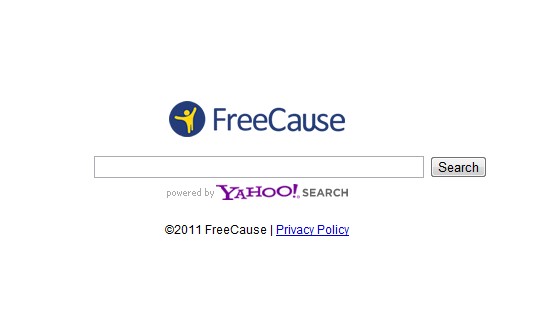
Search.freecause ScreenShot


Why My Antivirus Didn’t pick up Search.freecause.com Google Redirect Virus?
Search.freecause.com is a nail browser hijacker, it resets your computer settings and changes registry entry.Search.freecause.com is definitely a trouble to PC users; since it can escape from security tool and much antivirus software recommended online don’t work, so you need to find an effective way to manually remove it. If you intend to remove the hijacker yourself, you need to possess some computer troubleshooting skills. Sometimes you cannot guarantee a full removal of it during this high complex procedure. The instruction below may be of great help in your removal.

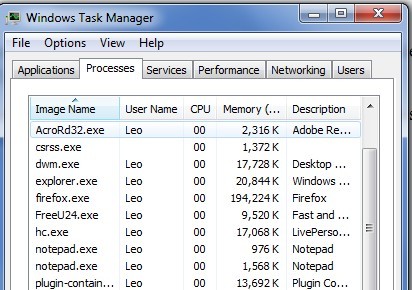
  1. Press Ctrl+Alt+Del keys together and stop Search.freecause.com processes in the Windows Task Manager.

  1. Let’s open the Registry Editor, search and remove related Search.freecause.com registry entries
  2. All Search.freecause.com associated files should be removed.

Video Tutorial On How to Modify or Change Windows Registry:

Registry Entries That Generated By The Search.freecause Redirect Virus

HKEY_CURRENT_USER\Software\Microsoft\Windows\CurrentVersion\RunOnce\*andom things
HKEY_CURRENT_USER\Software\Microsoft\Windows\CurrentVersion\RunServicesOnce
HKEY_LOCAL_MACHINE\SOFTWARE\Microsoft\Windows\CurrentVersion\RunOnce\random things
HKEY_LOCAL_MACHINE\SOFTWARE\Microsoft\Windows\CurrentVersion\Run
HKEY_LOCAL_MACHINE\Software\Microsoft\Windows\CurrentVersion\RunServicesOnce\*random things

If you were failed to remove the Search.freecause.com virus, please contact with computer experts Online for help to safely and completely remove it.

Published by Tony Shepherd on May 11, 2012 4:48 pm and last modified on November 9, 2012 12:56 pm.

Can’t Remove Windows Abnormality Checker Virus? Task Manger Disabled?

Have been infected with fake Windows Abnormality Checker virus? Have no idea how to uninstall the nasty virus?

Description of WindowsAbnormalityChecker

Windows Abnormality Checker is a new published fake anti-virus software, the rogue thing looks like a computer optimization master. Indeed, its nature is completely another fake antivirus program from the rogue family called “FakeVimes” like Windows Sleek Performance and Windows Pro Solutions. Windows Abnormality Checker is a malicious anti-spyware which aims at tricking people into purchasing the full version of the fake program. There are two major ways to be infected with this rogue. 1) When you are visiting hacked webpages, the fake anti-spyware will sneak into your computer without noticing and take over the place of the your authorized antivirus program in order to let itself install in the computer and do further harms to your PC system. 2) The other way to be infected is coming from the pop-up online fake scans when you visit illegal pages, and the scan result is so severe that people will easily fall into the trap. Windows Abnormality Checker malware then will ask you to download and install this program for the removal of the viruses. But don’t fall for that! Once you have downloaded and installed onto your computer, Windows Abnormality Checker virus will create lots of useless files hidden in your disks, and when the scan is finished, these created files would be the results instead of real viruses. In the next step when you want to delete all these non-existing viruses, you will be asking for a certain amount of money to purchase the full version of this fake program for the final and complete removal. And that’s just the purpose of it. Your computer is in damage when being infected. Once you get this program installed on your computer, it will also infect your computer’s other functions. For instance, when you are attempting to run a program on the infected computer, the rogue program will force stop it automatically without any of your permission. Other damages like losing data and important files could be caused as a result of not removing it fast. Read the rest of this post »

Published by Tony Shepherd on May 11, 2012 11:43 am and last modified on November 9, 2012 12:54 pm.

Hijacked by Asktofriends.com? How to Remove Asktofriends Redirect Virus

Friendster becomes more and more popular nowadays. Yet to find a good friendster is not easy. If there is a friends search site for you, you may think it’s convenient for you to make more friends. However, if you get Asktofriends.com as your search engine, sorry to tell you, you have fallen into a deep trap which can make you crazy!

To Realize Asktofriends.com Internet Browser Hijack Virus with Overall Perspective

Asktofriends.com is a horrible browser redirect rootkit that will hijack your web browsers. Its name will give you first impression that it’s a webpage or a URL. Correct! It’s indeed a webpage, but with many viruses includes Trojan horses, malwares or cankered links. Very similar to EasyA-Z.com, Isearch.babylon.com and Accurately-Locate.com, it’s nothing different from those famous search sites with a virtuous interface. When you get infected by this browser hijacker, it may not bring you to the forefront because you may think that it just changed your homepages and even you will regard it as one assistant for you to do some search more easily. If you really think so, you are all wet. The offensive Asktofriends.com Internet Browser Hijacker will drag you into the abyss of pain.

When you visit some informal websites, you may be attacked by such browser hijacker stealthily. Asktofriends.com Internet Browser Hijack Virus takes the same way as many Trojans do to invade your PC. Changing StartUp, re-configurating Browser Options and attacking system or antivirus vulnerabilities to escape from them removing it are all the basic approaches it adopts. You may never be aware of it if you don’t open your internet browser again. Once you open it after the virus accessed your CPU, you can find that your homepage has been set to Asktofriends.com. Google Redirect Virus. It looks like a very professional search engine. Indeed, it provides much information about all kinds of sites for your consideration; however, all the search result is well-designed. It always displays the malicious pages and links to you. The real good normal sites it never list for your choice.

Of course, the browser hijacker mainly promotes Asktofriends.com to you. Asktofriends.com is designed as a friendster to tempt you do sign up, but you can never get the things you want. As a function of Trojans and rootkits, browser hijacks can take several forms and be accompanied by theft of personal information, reduction of your computer’s security or installation of extra types of PC threats such as keyloggers or scamware. Be conscious of this flaring stuff. The longer time it stays in your computer, the more danger it will pour to you. Read the rest of this post »

Published by Tony Shepherd on May 10, 2012 4:57 pm and last modified on November 9, 2012 12:49 pm.

Virus Policia De Segurança Publica Portuguesa Remover (GOVERNQ DE PORTUGAL Vírus Remoção)?

People who are short of vigilance may be attacked by ransomware, The main reason may be that surfing the internet is the only way to communicate, trade, entertain and do some other activities with other objects on the networks. As long as the network is in active state such ransomware can make an incursion in the background. Policia de segurança publica Portuguesa is sweeping its way to launch a global offensive. Be careful!

What is GOVERNQ DE PORTUGAL Locked PC Virus? How to get rid of it from my computer?

Policia De Segurança Publica Portuguesa Virus, is a very dangerous Ukash Winlocker virus Which can trick victim users for money and severely makes the system compromise to the worst performance. Like Canadian Security Intelligence Service (CSIS) Ukash virus, it is known as ransomware which hijack users’ computer to ask for a ransom or forfeit. In order to unlock their computer, the users have to do as the ransomware says. However, it does not only invade personal computers in Portuguese areas. It has different interface and language depending on the country of attack. Mostly, the ransomware pretends to be the national government offices. Once infected with Policia De Segurança Publica Portuguesa virus all the icons or the files on your computer have been changed and the size properties have been hanged too and the wording on the files say “locked” and then the file name. Policia De Segurança Publica Portuguesa virus is the name of the malware or so called government scam in Portuguese areas. There’re various names of it in other country like Strathclyde Police Ukash Virus, Scotland Yards Ukash Virus, Guardia di Finanza Ransomware, Gendarmerie Nationale Ransomware, Police Central e-crime Unit (PCEU) Ransomware or ‘Die offizielle Mitteilung des Bundeskriminalamtes Trojan. Until recently, the infamous Ukash virus had only attacked computer systems located in Europe, but it spreads fast to Canada, America, aAustralia, like the one Royal Canadian Mounted Police Ukash Virus. Not for a long time, it will be a huge threat for people all over the world. It brings lots of PC owners trouble and pains as well as money loss. Read the rest of this post »

Published by Tony Shepherd on May 10, 2012 4:32 pm and last modified on May 10, 2012 5:06 pm.

Subscribe

Latest How-to Guides

Category

YooSecurity Virus/Malware Removal Service

YooSecurity Event

Problems with your PC, Mac or mobile device?

Live Chat Now

As Seen On