
What is the Interpol virus with picture of Obama? How will you know if your phone or tablet has been hacked? My android phone has been hacked Interpol virus malware and locked by recover data demanding payment of a fine for viewing unsolicited sites. They are demanding payment in 48 hours via Paysafecard which i have never heard of. My device has been locked whilst browsing on a shopping website. I like to know how to fix it. I can’t my phone as every time I open safari it comes up with an error message with the background of some sort of pornography. Have you heard of Interpol Virus Scam, can it lock down PC as well as mobile phone/tablet? I have a case were my phone was locked. It says the Interpol has a hold of it and I am require to pay a 0 penalty? I have some warning on my laptop saying its locked by CyberCrime saying I’m suspected of child pornography and pirated movies and music. It says I have to make an epay payment of 100 euro. Is this a scam? I have been locked out of my android tablet with a security page, basically saying I have downloaded stuff I haven’t and have to pay ?100 or €100 in 48 hours to have access to my tablet again. I’m just wondering is paysafe a virus or this is Interpol virus as it has popped up on my android phone and said I have been watching weird pornography and downloading copyright music, but in all honesty I was trying too watch a movie. How to remove pop up asking for money to remove porn? I managed to get the Interpol ransomware on my Samsung Galaxy Note 4. How would I go about removing that? (Phone is in Safe Mode) Computer locked by Interpol internet scams or Interpol fine scam? Has your computer suddenly been blocked by a pop-up warning from Interpol Virus Scam for no reason? Even if it has listed several reasons on the locking page, but you may not do any of the listed activities. Then how come it still locks you out? It is believed that this warning is in fact from an online scam which takes advantages of authority and pretends to be very legit. Can this Interpol Virus Scam trace keystrokes used to obtain bank balances by the infected user if the user logs on as a guest using the guest account on the infected computer? Can they steel money out of the users bank account that way? What can we do to uninstall it from the locked computers? How to unlock my computer if it is locked by Interpol? Is there any program that we can download or would reinstall system help? Find out all the answers below.
Your Mobile Phone/tablet or Computer Locked by Interpol Virus Scam – How to Remove The Interpol Virus To Unlock Your Computer or Mobile Phone/tablet?
Interpol Virus Scam (also known as Interpol Department of Cybercrime Virus scam) can be categorized as a malware that locks your computer and requests certain fines from you to unlock your computer. This virus belongs to the ransomware which are designed by the evil hackers who want to rip off money from some innocent people. Usually, it is not easy to steal money from the internet, because you can’t simply rob someone online saying” I’m going to rob you, and you’d better give me your money.” It can also be called as another version of the FBI Moneypak scam. This kind of virus shares the common character, that is, to totally block you from accessing the computer in the names of authorities. By accusing you that you have violated the laws of the country through your online activities, it locks your computer. And by threatening you that you may not in legal troubles, it requires fines from you to unlock your computer. But is this real? That’s a question many computer users ask. Of course it’s not real! It is believed to be created by hackers to collect as much money as possible from innocent PC users from all over the world. But there are still some people who don’t believe it’s indeed a scam because they are too afraid of getting legal troubles. The fact is, even if you don’t pay the requested amount of money in the limited time period, you will not be put into jail or submitted to court.
If it’s in fact a cyber scam, then where did I pick up this Interpol Virus Scam? And how come my antivirus programs didn’t stop it from getting into my computer? Hackers take advantages of social networks and put a lot of viruses among numerous hacked web sites or programs. Once you land there or download a malicious program, viruses hidden in them will be able to sneak into your computer and start to bring more infections. Once this infection is done, it will secretly change the default settings of your computer system so that it can steadily stay inside. Sometimes when the viruses stay long enough, they can disable the functions of antivirus programs. Thus, your antivirus software may fail to catch this virus. Now that the infection is made, you will suddenly get blocked either after rebooting the computer or during your online searching. It just pops up from nowhere and totally locks your screen. You cannot make your way into anything. On the locking page, you can see that it is certified by several organizations even include PayPal, Norton, Epay etc. Hackers try their best to make this Interpol warning look as legit as possible so there will be more victims fall into its trap. If you are still not completely sure about this, please do some online researches or make some phone calls before you proceed with its payment.
If you are going to get rid of this Interpol Virus Scam on your own, several steps are listed in the following. (For advanced computer users only) Or if you are not a computer guy and are not confident in what you are going to deal with, you can contact YooSecurity Online Expert now.

Your computer is locked by Interpol virus scam, Pay a fine to unlock computer via Ukash:
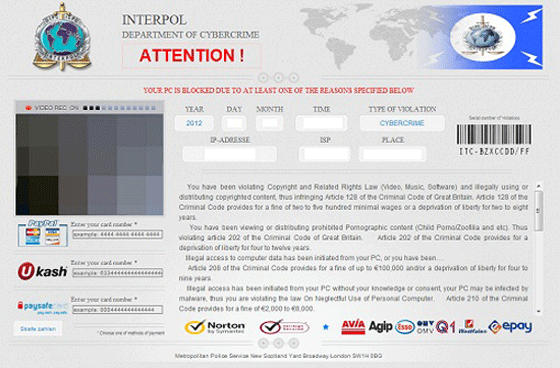
Interpol virus your computer has blocked, You need to pay 100 euro to unlock your PC
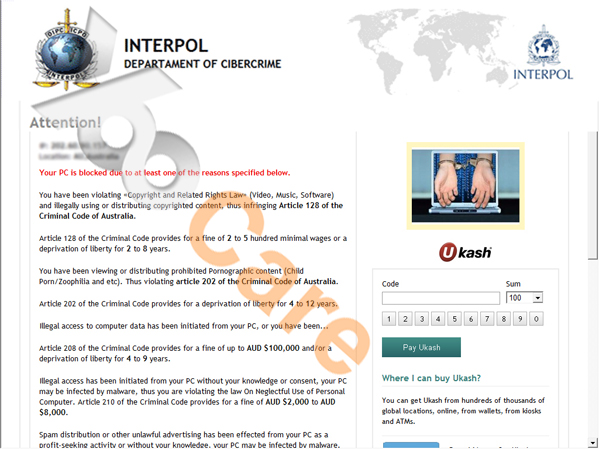
Interpol Virus Scam – The work of your computer has been suspended on the ground of the violation of the intellectual property law. You must pay the fine through Ukash of £100 or €100 within 24 hours. – Europe Based
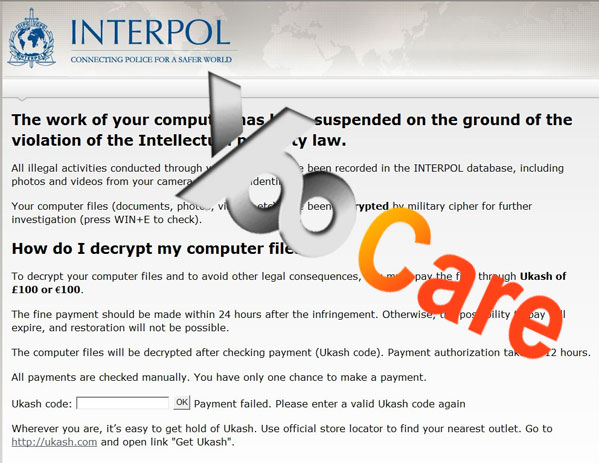
Interpol Virus Scam – The work of your computer has been suspended on the ground of the violation of the intellectual property law. You must pay the fine through Moneypak of $200 within 24 hours.
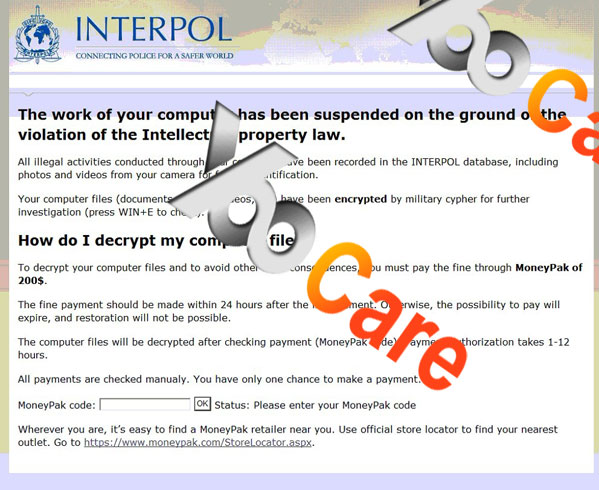
Why do cyber police use Ukash? How do I get rid of Interpol Department Cybercrime Virus?
Ukash is known to be the most common way to pay for this cyber police. When you pay for something online through legit processors, it is possible that the payment can still be canceled. But it is impossible when you are paying via this Ukash. Just like the famous FBI Moneypak virus, many victims still look for a way to get their money back. All I can suggest is that you should try to contact with the bank to see if there’s any chance to cancel this payment. Otherwise, you should renew the information of your credit card and any cards that you use to pay so that you won’t be suffering from more damages. Then please try to get rid of this Interpol Virus Scam as soon as possible. In order to do that, manual removal is the most appropriate way to completely uninstall this program from your computer. There isn’t a perfect program to deal with it successfully. And with manual removal process, you don’t have to reinstall Windows which takes much longer time and may even cause damages to hard disks due to frequently reinstalling.
It seems that my antivirus is useless to remove this Interpol Virus?
Since Interpol virus is created by hackers in order to collect money from PC users, they have given this malware the abilities to escape from PC protection tools and then sneak into your computer to block you from accessing to it. Cyber hackers are somehow unrecognized by others because all they need is a computer. And nowadays all of us do sit in front of computers. Besides, this kind of virus can be created every day to infected our computers. It takes some time for antivirus software to upgrade and make better solutions for the newly released viruses.
How can you detect the infection in your devices?
-
You can prevent viruses from damaging your phones. You can also try to avert them if you will take note of the following points:
1. Be careful in what you are downloading. Downloading the cracked applications can lead you to be required for payment. For example, when you avail torrent so that you can have an application usually paid for such as angry birds for free, chances are you are falling into the trap. If you don’t have an anti-virus or it is not updated, your android phone is then exposed to risks.
2. Beware of the data you consumed. There are viruses which can send information about you without your knowledge. You can figure this out by checking or auditing the data you are sending and receiving. If the transmitted data unknown to you exceeds 10 MB, you must be vigilant already. If applications necessitate less connection or none at all, then they could be malicious.
Best Way to Remove Interpol Department of Cybercrime Virus (Ukash, Moneypak Scam) Efficiently
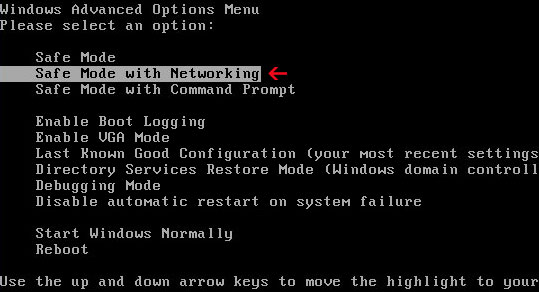
Step A: Restart the infected computer to Safe mode with networking. When you press the power button or restart it from Start menu, repeatedly hit F8 key; then use arrow keys to select Safe mode with networking and press Enter.
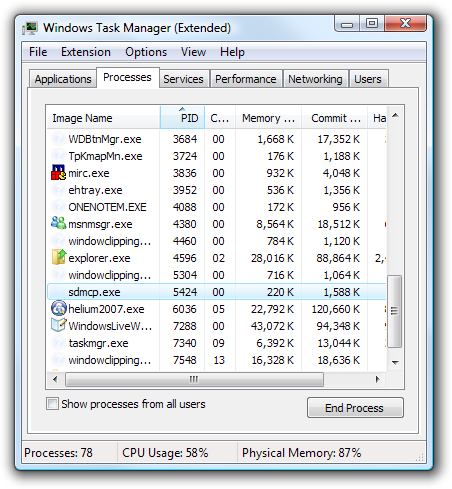
Step B: Press Ctrl+Alt+Del keys to open the Task manager to stop the progress of Interpol Virus Scam. Because the name will be changed fast, it will be show with different name.
Step C: Go to Registry Editor. First press Windows+R keys and then type regedit in Run box to search.
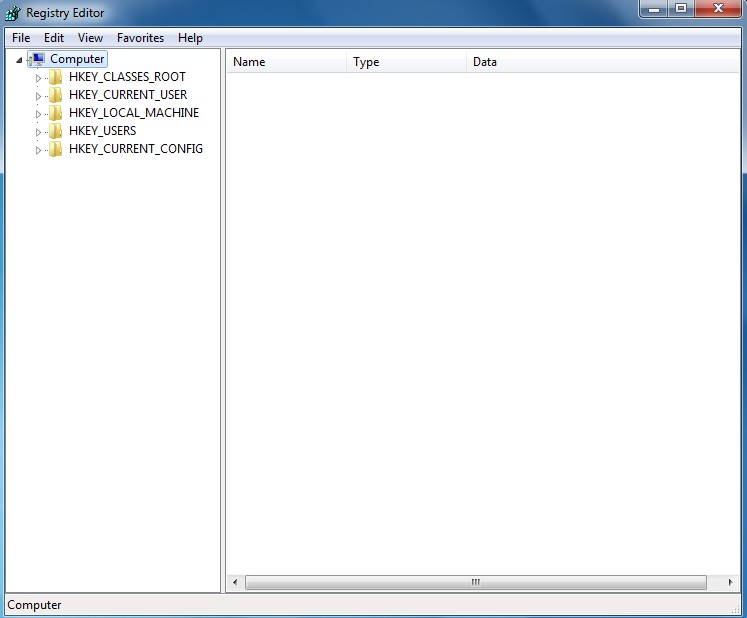
Step D: Delete all the following or those related to the following files and registry entries.
Video Guide to Remove Interpol Virus Scam Malware From Regedit
Alternatively, you can view this Interpol Virus scam removal video guide directly on our website.
What Happens If Your Android Phone/tablet Locked Out by Interpol scam? Manual Removal Guide On Mobile device
I have a Samsung galaxy android phone and i was downloading music and this thing popped up and blocked my phone its an Interpol thing and i can’t get it off my phone please help! So it is possible to get this thing off my screen it says if i don’t pay a fine within 24 hours a criminal case will be opened against me? I looked it up it is a scam.
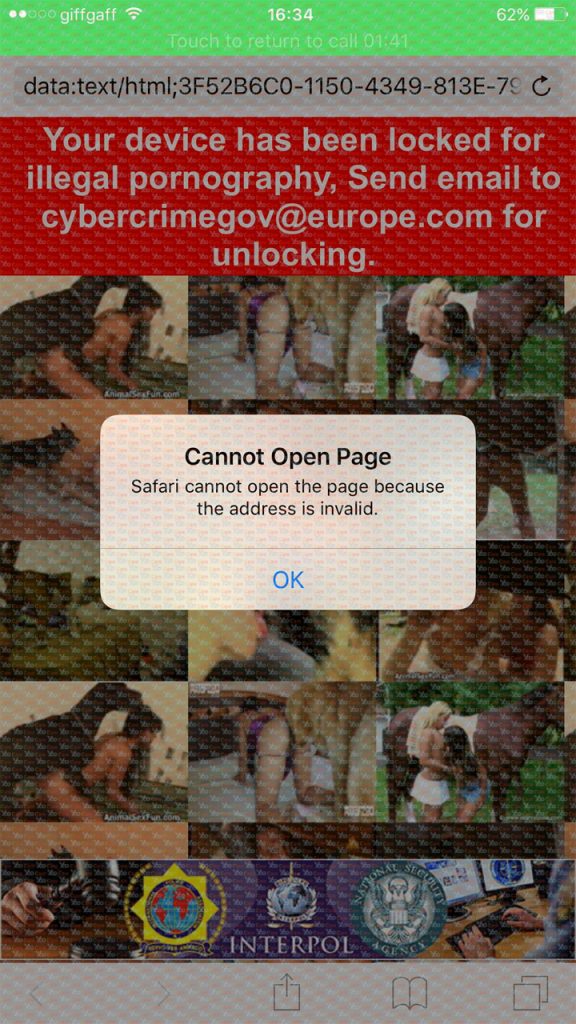
To unlock your phone from Interpol virus first please restart your phone to safe mode to unlock your cell phone from the blocked virus warning screen. You can live chat with online experts to assist you if you don’t know how to do that.
Note: “Safe Mode” on Phone starts up without loading any third-party add-ons and different devices have different ways to access safe mode.
For Samsung Galaxy S6 S5 S4 Note 2: 1. Power down. 2. Turn on and repeatedly tap the soft-button for “Menu.”
For Samsung Galaxy S3 S2 and others: 1. Power down. 2. Turn on, then press and hold Volume Down (Galaxy S3 and others), Volume Up (HTC One, ZTE and others), or Volume Down and Volume Up together (various Motorola devices) when the vendor’s logo appears.
For Samsung tablet: Power it off, and then power it on. During startup and when you see the Samsung Logo screen, press and hold the Volume Down key until you can see safe mode writing below the screen at the left hand angle of the screen.
If you have managed to select Safe Mode, you will see the text “Safe Mode” at the bottom left corner of the screen.
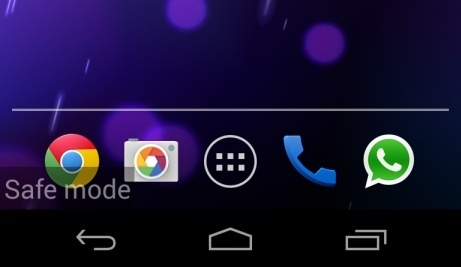
Up to now you can remove the weird things related to virus, but in order to get rid of it completely so that your phone or tablet is hack free, you are recommended to contact an expert online for further removal help.
Conclusion
Everyone has the same chances to be infected by this Interpol Virus Scam as long as the Internet connection is on and you are surfing thousands of online resources. No matter how many antivirus tools you have installed on your computer to protect you from all the threats from the Internet, you cannot be protected from all dangers. And once a virus successfully sneaks inside your computer, it will continue to bring more other viruses and malware to infect your computer if there isn’t a fast removal. From the above we can see that in order to completely uninstall this malware, it requires manual removal job which requests for better computer skills. If you are not very good at computers but still trying to manually remove this virus by yourself, you may cause other unpredictable damages to your computer due to any small mistakes. After you have successfully uninstalled this Interpol malware from your computer, there are certain things you should be bear in mind in order to stay away from this Interpol Virus Scam and other cyber threats. For example, when you are surfing the Internet, try to stay away from those suspicious websites. Sometimes hacked sites look just the same as real ones. Besides, you should stick to certain search engines because some browser redirect viruses are created in the forms of search engines to redirect you to malicious sites. What’s more, do not download unknown programs especially those state the “free” character. All in all, it takes both your antivirus software and your online behavior to maintain a safe PC.
Special tips: Having trouble to deal with this nasty Interpol virus ransomware? Be confused with the whole removal processes of [email protected] virus? To avoid making things worse, please contact YooSecurity PC Experts 24/7 online in time for help to safely and completely get rid of Interpol Virus Scam from your PC or Mobile devices.

Published by Tony Shepherd & last updated on February 28, 2018 6:02 am









Leave a Reply
You must be logged in to post a comment.